
- After logging in and connecting PUBG MOBILE to your account, go to the “PLAY” tab at the top left of the page.
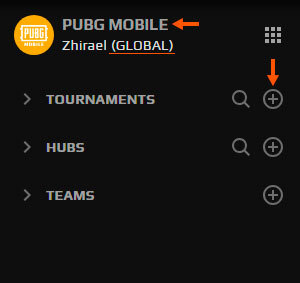
On this page, you will have a new panel at the left. You can see the game you already selected with your game account and the options to explore and create Tournaments, HUBs and Teams.
- To create a new tournament just click on the “+” icon at the right of the 'Tournaments' section.
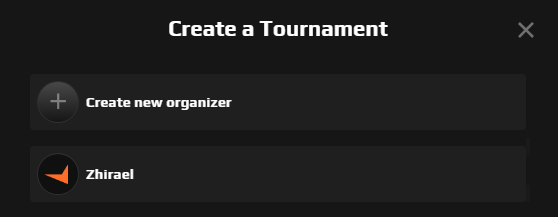
- The next window shows the list of organizers you already have. In case you don’t have any, you can create a new one or select yourself as the organizer.
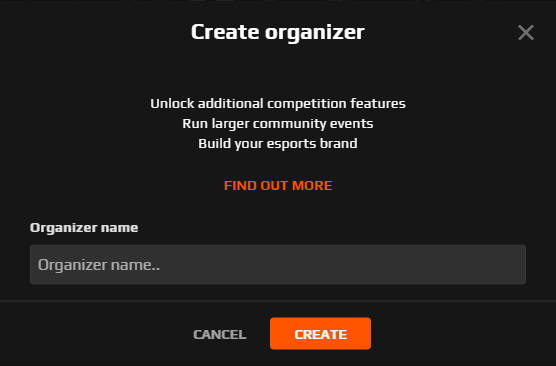
By selecting “Create new organizer” a new window will open and you can assign the name of your new organizer.
- After that, you can repeat the previous steps to select your new organizer to create the new tournament.
- These are all the options you have to set the base of the tournament:
-
- Choose a name for the tournament
- Choose the available game from a list
- Select your game's region. Currently, 'Global' is the only option for PUBG MOBILE although you can still restrict it to certain countries at a later point.
- Choose the tournament format available for the game: Single Elimination* (FFA) or League Format* (FFA)
- Game modes available for the game: solo, duo, squad.
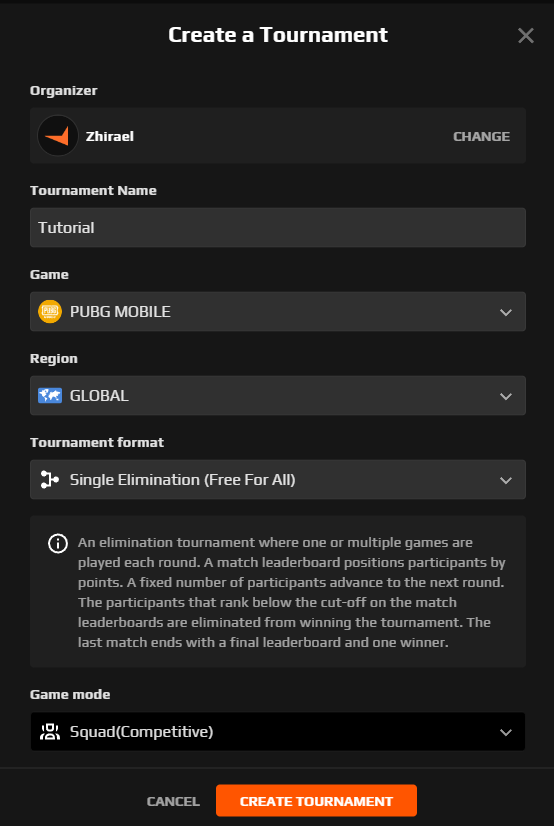
- After adding and selecting the correct data just click on the “CREATE TOURNAMENT” button, wait a few seconds and you will be forwarded to the tournament setting page.
*Single elimination (FFA): in each round a number of players/teams will advance to the next round. You can set the number of teams that will advance in the setting of the tournament.
*League Format (FFA): players/teams will play an X amount of rounds to obtain points, this format doesn’t have any elimination. You can set the amount of rounds in the setting of the tournament.